Why I Built My NAS Around an ODROID H4 Ultra
19 May 2026
My previous NAS was the kind of build that looks finished before it has done anything difficult. It was built in a Jonsbo N2 around a CWWK NAS-B-Q670-Plus Mini-ITX board, with an Intel 12500T, 32 GB of DDR5, six Samsung PM883 3.84 TB SATA SSDs, a Corsair SF850L PSU, and TrueNAS. On a spec sheet it made sense: plenty of SATA, a proper desktop-class CPU, a lot of solid-state storage, and the kind of Intel platform features that make a small server feel more serious than it probably needs to be.
My notes from that build put idle around 30 W, which was the wrong kind of number for a box that would be on all day in a living-space cupboard. The electricity cost mattered, but it was not the whole problem. Thirty watts is also thirty watts of heat; in a closed or semi-closed space that means more airflow, more fan speed, more dust, and more noise. A NAS in a living space does not need to be silent in the marketing sense, but it does need to stop announcing itself as furniture.
The board had the connectors I wanted, but getting the platform into useful low-power states was a fight. That meant persuading PCIe Active State Power Management (ASPM), higher CPU sleep states (C-states), SATA Device Sleep (DevSlp), and the rest of the stack to let an idle NAS actually idle instead of merely waiting expensively. I could not get that path reliable enough to stop thinking about it.
The public trail around the CWWK Q670 boards looked familiar: missing ASPM options, edited BIOS images, C-state tuning, and people comparing notes because the board is close to excellent but not quite boring. Matthew Hill’s CWWK Q670 write-up and TheTechCorner’s Homelab 2.0 notes describe the same general pattern. A Reddit thread about the newer white Q670 board is blunter. The old NAS was fast enough; the problem was that it depended on winning too many firmware arguments.
The Rack Case Made the Decision Sharper
The next build started with the case, not the operating system. I wanted the NAS in a MyElectronics 10-inch 2U Mini-ITX case, which narrowed the field quickly. I did not just need a capable NAS board; I needed one that fit a 10-inch rack build without an improvised power layout.
The obvious route was to keep using a Mini-ITX board and make the power supply and storage layout fit. I looked at PicoPSU-style options, smaller power arrangements, and ways of shrinking the old kind of platform into the new case. The more I sketched it out, the more it felt like a tidy enclosure wrapped around a compromise.
That is fine for a lab experiment. I liked it less for the primary NAS, because this is the machine that should sit there during the week and give me fewer reasons to care about it.
The case itself is more flexible than it first looks. MyElectronics sells different front plates, so the same basic body can be used as a desktop case, a 10-inch rack case, or as part of a side-by-side 19-inch layout. That matters because homelab is, unfortunately, a polite word for sanctioned fiddling, and reusing the enclosure is easier than rebuilding around a new one.
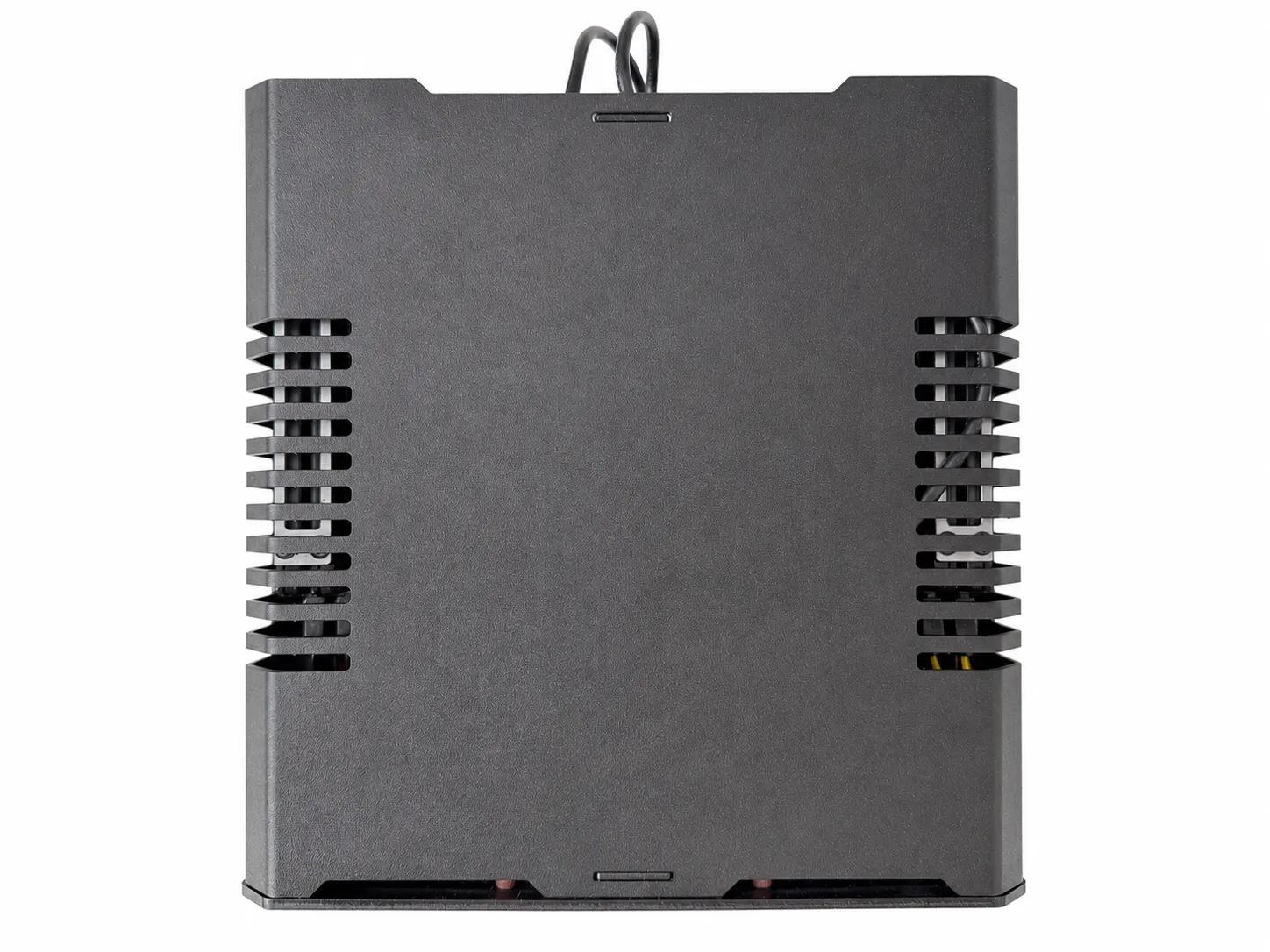
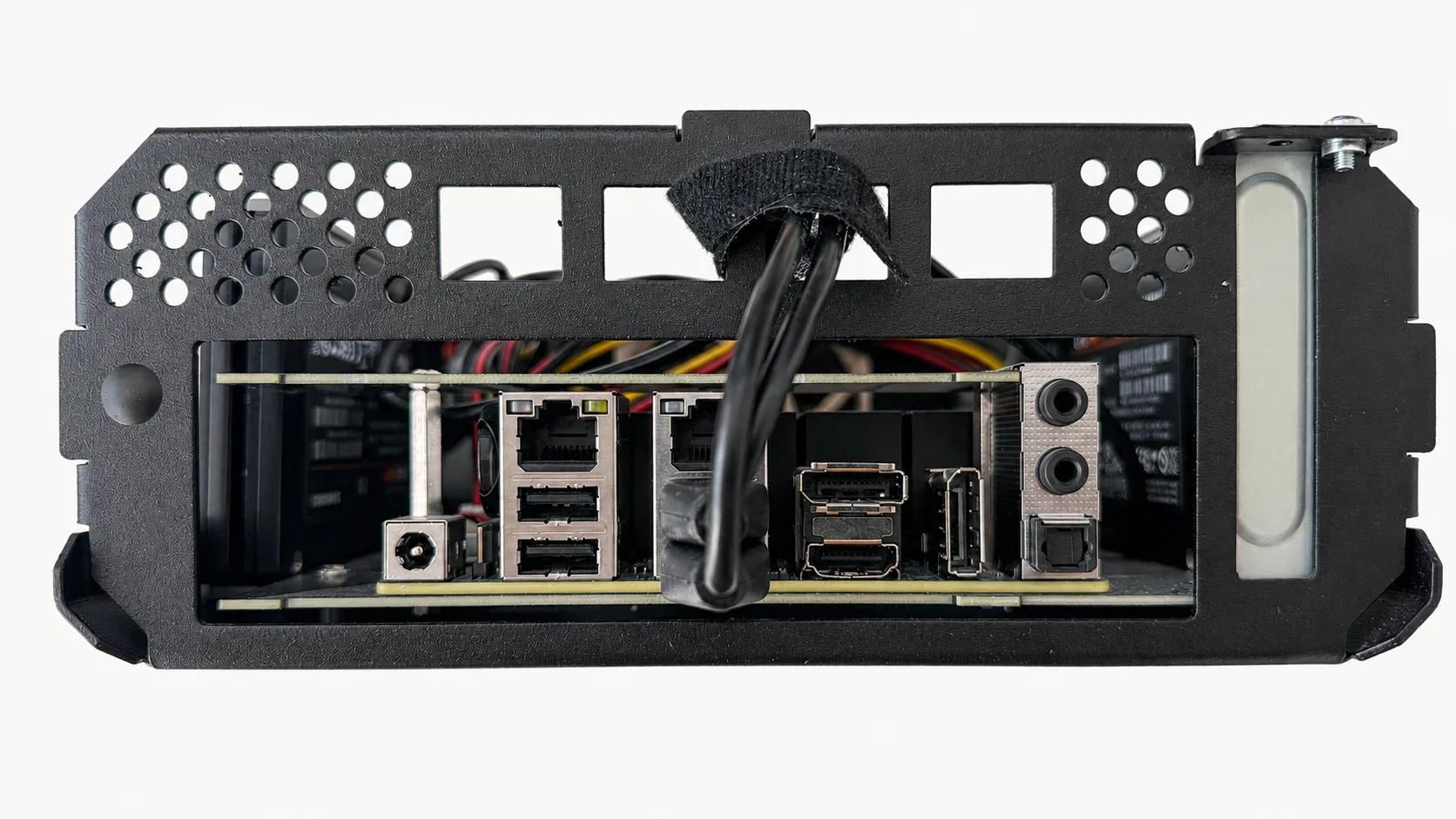
The small rectangular front and rear openings can take USB, HDMI, LAN, or audio inserts, which means ports can be extended from the rear of the board to the front. In a rack, a front USB port or front network jack is less glamorous than another benchmark, but it is exactly the kind of physical detail that makes a small server easier to live with.
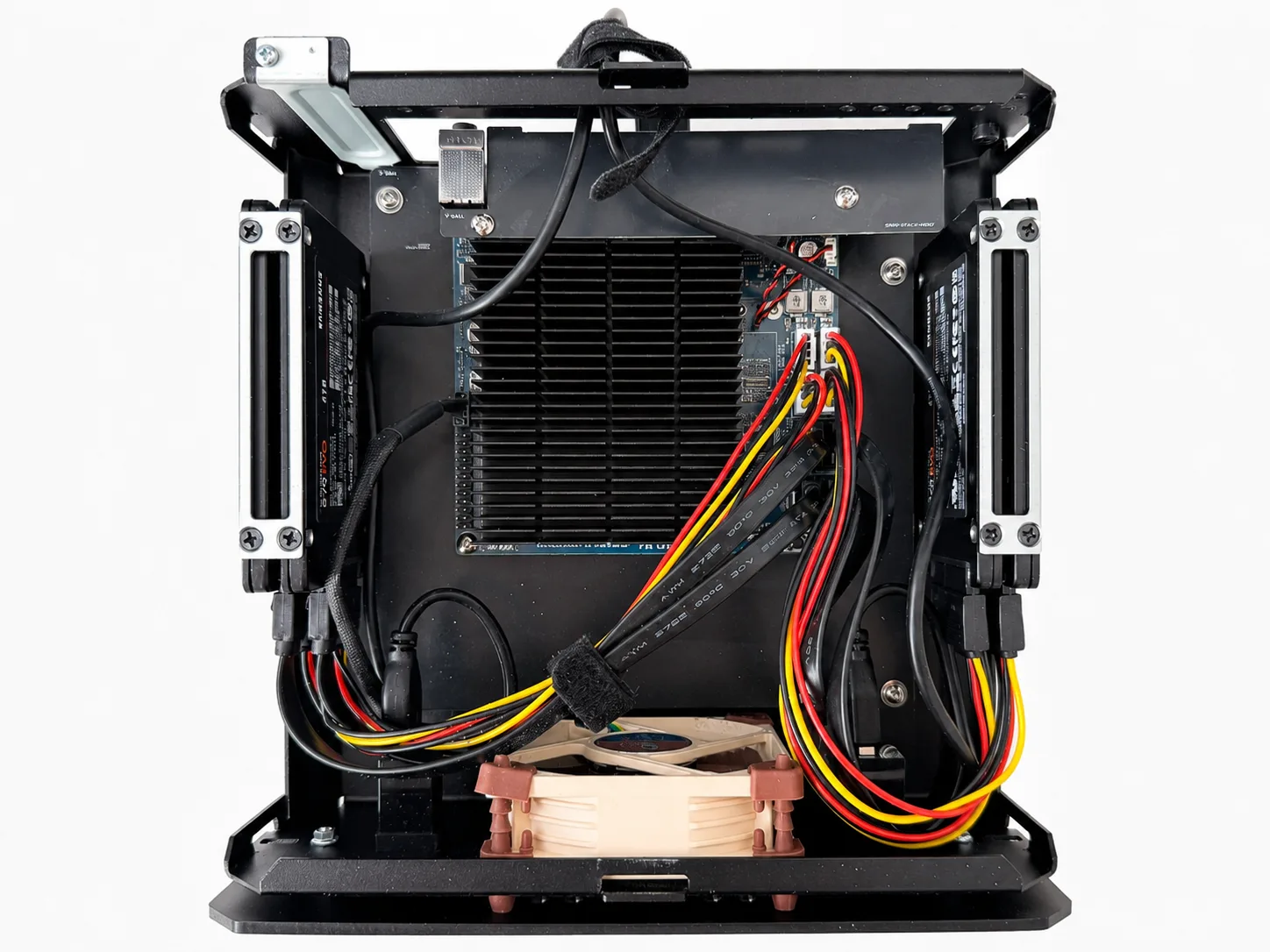
The case officially has space for two 2.5-inch SSDs and one low-profile PCI slot. I used a pair of small SSD stacking brackets so two drives could occupy one of the SSD positions, which made the four-SSD H4 Ultra layout practical inside the case. That is the sort of workaround I do not mind: it is mechanical and visible, not a hidden power-management dependency.
Why the H4 Ultra Clicked
The ODROID H4 Ultra was the first option that made the smaller build feel clean rather than forced. It brought the right set of boring things together in one small board:
- Intel N305
- four SATA ports
- NVMe for the boot disk
- two 2.5 GbE ports
- Intel graphics for Plex Quick Sync
- small board footprint
- no ATX/SFX PSU requirement in the case
- UART header for future serial-console work
- eMMC option for possible rescue-media experiments
The actual build list is now:
| Part | Reference |
|---|---|
| Case | MyElectronics 10-inch 2U Mini-ITX case |
| Board | ODROID H4 Ultra |
| Mounting | ODROID H4 Mini-ITX Kit |
| Memory | Crucial 32 GB DDR5 SODIMM |
| Data SSDs | Samsung 870 EVO 4 TB |
| SSD brackets | 2.5-inch SSD stacking brackets |
| Installed front I/O | USB keystone couplers |
Treat that as a build-context list, not a shopping list. Availability and prices change faster than this NAS should.
None of those parts is exotic. Together, they turned the build from a shrinking exercise into a NAS that actually fit the case, the rack, and the room.
Hardkernel’s own H4 Ultra page shows 2.8 W in its headless Ubuntu idle table with PCIe ASPM set to Auto and Ethernet connected. I treated that as a signal about board intent, not as a promise about my finished NAS. My build has SATA SSDs, a different operating system, and a different physical environment, but the published figure at least suggested the platform was meant to idle properly.
The physical layout mattered too. With a bit of sketching, the H4 Ultra looked like it would fit in the case I wanted with four 2.5-inch SSDs. Four 4 TB SATA SSDs would give 16 TB raw capacity, less than the old six-drive build but enough to force a useful question: did I actually need that much TV and film in 4K sitting on the NAS, or had the extra bays turned into permission to keep everything?
What I Lost
The old CWWK Q670 platform had vPro / AMT-style out-of-band management potential with the right CPU: remote power and remote console work when the machine is not behaving. With the 12500T, that was a meaningful feature to give up.
The H4 Ultra does not replace that directly. The recovery path is serial console via the UART header: wire it properly and keep something else available to talk to it. That could be another local box, or a small dedicated device such as a Raspberry Pi left ready for the job. If BIOS interaction over that route proves useful, document it. If it only helps once the OS is booting, document that instead.
vPro / AMT and UART can help on the same unpleasant evening, but they are not equivalent. vPro / AMT is management; UART is recovery. The storage tradeoff was more straightforward. Four SATA ports means the storage plan has to be more honest, which is probably healthy for this NAS. The backup strategy already separates durable data from replaceable media; the hardware should reflect that.
The Drives Finished The Decision
The first H4 Ultra version still did not idle as low as I hoped, which turned out to be the point: in a four-drive SATA build, the drives are part of the power design. My rebuild notes put the PM883 version at roughly 10.5 W to 11.5 W at idle, with a rough estimate of about 1.3 W per SSD. That is not outrageous for enterprise SATA SSDs. It was just the wrong trade for a small always-on NAS trying to live at single-digit watts.
The warning sign was C-state behaviour. The system was not reaching the higher CPU sleep states I wanted to see, which meant the low-power board was not getting the idle behaviour I had bought it for. In a larger server that might be background detail, but in a four-drive SSD NAS every attached device is part of the power design.
I swapped the PM883s for Samsung 870 EVOs. Samsung’s 870 EVO specs list Device Sleep support and a much lower idle figure than my PM883 estimate, and my notes put the rebuilt machine at roughly 5.5 W to 6.5 W at idle. Those numbers are rebuild notes rather than a repeatable benchmark run; the current build still needs the SONOFF / plug-meter measurement log before I treat the result as measured data. Even so, the lesson stands: in a small SATA SSD NAS, the drives are not just capacity.
The Actual Hardware Decision
The H4 Ultra won because it fit the room, the rack, the storage plan, and the power budget without demanding another round of firmware diplomacy. It gave me four SATA ports without a separate storage card, enough raw capacity with four SSDs, Intel media support for Plex, 2.5 GbE without add-in cards, and a cleaner power arrangement than the Mini-ITX/PicoPSU direction I had been sketching.
What I gave up was drive count, vPro / AMT-style management, and general expansion headroom. What I gained was a NAS that fits the space, runs cooler, uses less power in practice, and asks for less ongoing negotiation. The old build had more platform and more excuses. This one suits the job better.